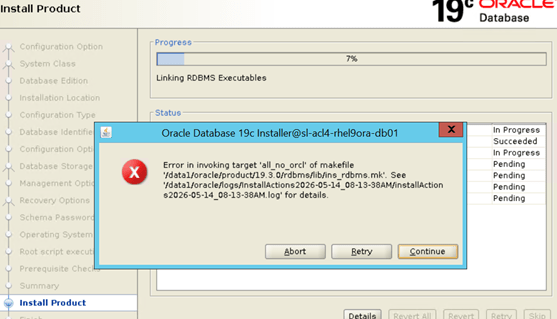
Error in invoking target ‘all_no_orcl’ of makefile ‘…/rdbms/lib/ins_rdbms.mk’.
Instinct whispered: “Just hit ignore (Continue) and we’ll fix it post-install.” Don’t do it. If you bypass or ignore this error during the installation phase, key executable binaries (like the core database engines, networking stack components, or utilities like the Oracle IO Numbers benchmark orion) will completely fail to link. The result? A broken, unstable installation that won’t start up or run reliably down the line.
The solution requires downloading and extracting standard system library stub files via Bug 33794281 (often delivered via combo tracking patch 35775632 or similar target variants depending on your exact deployment tracking ID). This patch provides an updated, compatible array of reference headers and static interfaces that accurately map ancient compilation queries directly onto the RHEL 9 layout.
1. Obtain and Unpack the Stub Software Bundle
Locate the official patch delivery zip file downloaded directly from My Oracle Support (MOS) that corresponds to your structural variant, and extract its baseline components:
Bash
$ unzip p35775632_190000_Linux-x86-64.zip
2. Relocate the Stub Archive Into the Active Oracle Home
Move the extracted stubs.tar asset directly into the dedicated sub-directory layer where Oracle’s internal build engine actively scans for compilation overrides during the linking phases:, change your active directory to the stubs path and unpack the tarball
Bash
$ mv stubs.tar $ORACLE_HOME/lib/stubs/$ cd /opt/oracle/product/19c/dbhome_1/lib/stubs/$ tar -xf stubs.tar
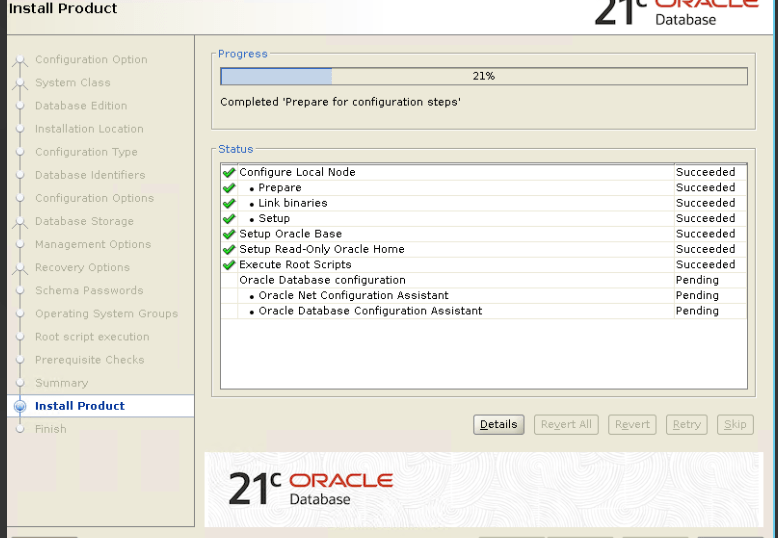
(Note: If you are on an alternative file structure layout, such as a 21c standalone path like /data1/oracle/product/21/db/lib/stubs/, adjust your target paths accordingly before running your transfer routines).
 DBADEEDS
Leave a comment